
Alteryx Designer has become a popular self-service analytics platform, enabling business analysts to build data preparation and blending workflows through a visual drag-and-drop interface. However, as organizations scale their analytics operations, Alteryx's per-seat licensing ($5,000+ per user), desktop-bound execution model, and limited concurrency through Alteryx Server create cost and scalability challenges. Google BigQuery offers a serverless alternative where transformation logic executes directly on petabyte-scale data without infrastructure management.
This article provides a comprehensive technical mapping of Alteryx Designer workflow tools (.yxmd files) to their BigQuery-native equivalents, covering data input/output, transformation tools, spatial analytics, macro patterns, and scheduling. Every Alteryx tool category has a direct BigQuery SQL or Dataform equivalent, and the migration unlocks serverless execution, consumption-based pricing, and native integration with the Google Cloud data ecosystem.
Alteryx Architecture vs. BigQuery Architecture
Alteryx Designer workflows execute on the local desktop or on Alteryx Server (a Windows-based scheduling and sharing platform). Each workflow (.yxmd) is an XML file describing a directed graph of tools connected by data streams. The Alteryx engine processes data through this graph, reading from sources, applying transformations in-memory, and writing to targets. Data moves through the Alteryx process — the engine must have enough memory and CPU to handle the entire dataset.
BigQuery is a serverless, columnar analytics engine. Data is stored in BigQuery's managed storage, and compute is allocated dynamically per query. There is no engine to install, no memory to configure, and no concurrency limits to manage. SQL is the primary interface, and Dataform provides workflow orchestration with dependency management, incremental processing, and version control through Git integration.
| Alteryx Concept | BigQuery Equivalent | Notes |
|---|---|---|
| Workflow (.yxmd) | BigQuery SQL script / Dataform SQLX | Linear tool chains become SQL CTEs or Dataform dependencies |
| Input Data tool | BigQuery table / external table | Data already in BigQuery; external tables for GCS files |
| Output Data tool | CREATE TABLE / INSERT INTO | Results land in BigQuery tables directly |
| Select tool | SELECT column list with CAST | Column selection, renaming, and type conversion |
| Filter tool | WHERE clause | Row-level filtering with predicates |
| Formula tool | CASE / functions in SELECT | Computed columns, string manipulation, date math |
| Join tool | SQL JOIN | INNER, LEFT, RIGHT, FULL OUTER JOINs |
| Union tool | UNION ALL | Vertical concatenation of datasets |
| Summarize tool | GROUP BY with aggregates | SUM, COUNT, AVG, MIN, MAX, GROUP_CONCAT |
| Sort tool | ORDER BY | Row ordering for output or window functions |
| Unique tool | DISTINCT / ROW_NUMBER() | Deduplication with flexible tie-breaking |
| Cross Tab tool | PIVOT | BigQuery PIVOT operator for row-to-column transformation |
| Transpose tool | UNPIVOT | Column-to-row transformation |
| Dynamic Input tool | Parameterized queries / scripting | BigQuery scripting with EXECUTE IMMEDIATE |
| Batch Macro | Dataform operations / scripting loops | FOR...IN loops in BigQuery scripting |
| Gallery scheduling | Scheduled Queries / Cloud Composer | Cron-based scheduling or Airflow DAGs |

Alteryx to BigQuery migration — automated end-to-end by MigryX
Mapping Core Alteryx Tools to BigQuery SQL
Every Alteryx workflow is a sequence of tools connected by data streams. In BigQuery, these tool chains translate into SQL queries, often using Common Table Expressions (CTEs) to mirror the step-by-step data flow. Each Alteryx tool becomes a SQL clause or function.
Input and Output Tools
Alteryx Input Data tools connect to files (CSV, Excel, databases) and load data into the workflow. In BigQuery, data is either already loaded into tables or accessed through external tables pointing to Cloud Storage. Output Data tools become CREATE TABLE or INSERT statements.
-- Alteryx: Input Data (CSV from shared drive) -> Output Data (database table)
-- BigQuery equivalent: External table for file access, CTAS for output

-- Step 1: Create external table for CSV files in Cloud Storage
CREATE OR REPLACE EXTERNAL TABLE `project.raw.sales_files`
OPTIONS (
    format = 'CSV',
    uris = ['gs://company-data/sales/monthly_*.csv'],
    skip_leading_rows = 1,
    autodetect = TRUE
);

-- Step 2: Materialize into a BigQuery managed table
CREATE OR REPLACE TABLE `project.staging.monthly_sales` AS
SELECT
    CAST(sale_date AS DATE) AS sale_date,
    CAST(customer_id AS INT64) AS customer_id,
    product_name,
    CAST(quantity AS INT64) AS quantity,
    CAST(unit_price AS FLOAT64) AS unit_price,
    CAST(quantity AS INT64) * CAST(unit_price AS FLOAT64) AS total_amount
FROM `project.raw.sales_files`;
Select, Filter, and Formula Tools
The Alteryx Select tool renames columns, changes data types, and reorders fields. The Filter tool splits data into True and False streams based on a condition. The Formula tool creates new columns or modifies existing ones. In BigQuery SQL, all three map to a single SELECT statement with column expressions, CAST functions, and WHERE clauses.
-- Alteryx workflow: Select -> Filter -> Formula -> Output
-- Select: Rename "Cust_ID" to "customer_id", change type to Int64
-- Filter: WHERE region IN ('North', 'South') AND amount > 100
-- Formula: margin_pct = (revenue - cost) / revenue * 100
--          tier = IF amount > 10000 THEN "Enterprise" ELSE "SMB"

-- BigQuery SQL equivalent (single query replaces 4 Alteryx tools)
CREATE OR REPLACE TABLE `project.silver.filtered_sales` AS
SELECT
    CAST(Cust_ID AS INT64) AS customer_id,
    customer_name,
    region,
    sale_date,
    revenue,
    cost,
    ROUND(SAFE_DIVIDE(revenue - cost, revenue) * 100, 2) AS margin_pct,
    CASE
        WHEN revenue - cost > 10000 THEN 'Enterprise'
        ELSE 'SMB'
    END AS tier
FROM `project.staging.monthly_sales`
WHERE region IN ('North', 'South')
  AND (revenue - cost) > 100;
Join and Union Tools
Alteryx Join tools produce three outputs: Left (unmatched from left), Join (matched), and Right (unmatched from right). BigQuery SQL JOINs handle all three scenarios. Alteryx Union tools concatenate datasets vertically, mapping directly to UNION ALL.
-- Alteryx: Join tool (customers + orders) with Left/Join/Right outputs
-- BigQuery: Standard SQL JOINs

-- Matched records (Alteryx "J" output)
SELECT c.*, o.order_id, o.order_date, o.amount
FROM `project.dataset.customers` c
INNER JOIN `project.dataset.orders` o
    ON c.customer_id = o.customer_id;

-- Left unmatched (Alteryx "L" output - customers without orders)
SELECT c.*
FROM `project.dataset.customers` c
LEFT JOIN `project.dataset.orders` o
    ON c.customer_id = o.customer_id
WHERE o.customer_id IS NULL;

-- Alteryx: Union tool (stack Q1 + Q2 + Q3 + Q4 data)
-- BigQuery: UNION ALL
SELECT *, 'Q1' AS quarter FROM `project.raw.sales_q1`
UNION ALL
SELECT *, 'Q2' AS quarter FROM `project.raw.sales_q2`
UNION ALL
SELECT *, 'Q3' AS quarter FROM `project.raw.sales_q3`
UNION ALL
SELECT *, 'Q4' AS quarter FROM `project.raw.sales_q4`;
Summarize Tool
The Alteryx Summarize tool groups data and applies aggregation functions (Sum, Count, Avg, Min, Max, Concat, etc.). This maps directly to BigQuery's GROUP BY with aggregate functions.
-- Alteryx Summarize: Group by region, product_category
-- Sum of revenue, Count of orders, Avg of margin_pct
-- Concat of distinct product_names (comma-separated)

SELECT
    region,
    product_category,
    SUM(revenue) AS total_revenue,
    COUNT(*) AS order_count,
    AVG(margin_pct) AS avg_margin_pct,
    MIN(sale_date) AS first_sale,
    MAX(sale_date) AS last_sale,
    STRING_AGG(DISTINCT product_name, ', ' ORDER BY product_name) AS product_list
FROM `project.silver.filtered_sales`
GROUP BY region, product_category
ORDER BY total_revenue DESC;
Unique and Sample Tools
Alteryx's Unique tool outputs deduplicated records (Unique stream) and duplicates (Duplicate stream). BigQuery's ROW_NUMBER() window function provides equivalent functionality with flexible control over which duplicate to keep.
-- Alteryx Unique tool: Deduplicate by customer_id, keep most recent
-- Unique stream = first occurrence, Duplicate stream = rest

-- Unique records (most recent per customer)
WITH ranked AS (
    SELECT
        *,
        ROW_NUMBER() OVER (
            PARTITION BY customer_id
            ORDER BY last_updated DESC
        ) AS rn
    FROM `project.dataset.customer_records`
)
SELECT * EXCEPT(rn) FROM ranked WHERE rn = 1;

-- Duplicate records (for audit/review)
SELECT * EXCEPT(rn) FROM ranked WHERE rn > 1;
Cross Tab (Pivot) and Transpose (Unpivot)
The Alteryx Cross Tab tool pivots row data into columns (like a spreadsheet pivot table). The Transpose tool does the reverse. BigQuery provides native PIVOT and UNPIVOT operators.
-- Alteryx Cross Tab: Rows to columns
-- Group by customer_id, pivot product_category, sum revenue
SELECT *
FROM (
    SELECT customer_id, product_category, revenue
    FROM `project.dataset.sales`
)
PIVOT (
    SUM(revenue) FOR product_category
    IN ('Electronics', 'Clothing', 'Food', 'Home')
);

-- Alteryx Transpose: Columns to rows
-- Convert quarterly columns to period/value rows
SELECT customer_id, quarter, revenue
FROM `project.dataset.quarterly_summary`
UNPIVOT (
    revenue FOR quarter
    IN (q1_revenue AS 'Q1', q2_revenue AS 'Q2',
        q3_revenue AS 'Q3', q4_revenue AS 'Q4')
);
MigryX: Purpose-Built Parsers for Every Legacy Technology
MigryX does not rely on generic text matching or regex-based parsing. For every supported legacy technology, MigryX has built a dedicated Abstract Syntax Tree (AST) parser that understands the full grammar and semantics of that platform. This means MigryX captures not just what the code does, but why — understanding implicit behaviors, default settings, and platform-specific quirks that generic tools miss entirely.
Multi-Tool Workflow to BigQuery SQL Pipeline
Real Alteryx workflows chain dozens of tools together. The following example shows how a complete multi-tool Alteryx workflow translates into a single BigQuery SQL script using CTEs, preserving the step-by-step logic while executing as a set-based operation.
-- Alteryx workflow with 8 tools:
-- Input(customers) -> Select -> Formula ->
-- Join(with orders) -> Filter -> Summarize -> Sort -> Output
--
-- BigQuery SQL equivalent: CTE chain mirrors tool sequence

WITH
-- Tool 1-2: Input + Select (read and rename/cast columns)
customers_cleaned AS (
    SELECT
        CAST(cust_id AS INT64) AS customer_id,
        TRIM(UPPER(customer_name)) AS customer_name,
        LOWER(email) AS email,
        region,
        signup_date
    FROM `project.raw.customers`
),

-- Tool 3: Formula (computed columns)
customers_enriched AS (
    SELECT
        *,
        DATE_DIFF(CURRENT_DATE(), signup_date, DAY) AS days_since_signup,
        CASE
            WHEN DATE_DIFF(CURRENT_DATE(), signup_date, MONTH) >= 24 THEN 'Mature'
            WHEN DATE_DIFF(CURRENT_DATE(), signup_date, MONTH) >= 6 THEN 'Growing'
            ELSE 'New'
        END AS lifecycle_stage
    FROM customers_cleaned
),

-- Tool 4: Join (inner join with orders)
customer_orders AS (
    SELECT
        c.*,
        o.order_id,
        o.order_date,
        o.product_category,
        o.amount,
        o.quantity
    FROM customers_enriched c
    INNER JOIN `project.raw.orders` o
        ON c.customer_id = o.customer_id
),

-- Tool 5: Filter (active customers with significant orders)
filtered AS (
    SELECT *
    FROM customer_orders
    WHERE amount >= 50
      AND order_date >= DATE_SUB(CURRENT_DATE(), INTERVAL 1 YEAR)
),

-- Tool 6: Summarize (aggregate per customer)
summarized AS (
    SELECT
        customer_id,
        customer_name,
        region,
        lifecycle_stage,
        COUNT(DISTINCT order_id) AS total_orders,
        SUM(amount) AS total_revenue,
        AVG(amount) AS avg_order_value,
        MAX(order_date) AS last_order_date,
        COUNT(DISTINCT product_category) AS category_breadth
    FROM filtered
    GROUP BY customer_id, customer_name, region, lifecycle_stage
)

-- Tool 7-8: Sort + Output
SELECT *
FROM summarized
ORDER BY total_revenue DESC;
A single BigQuery SQL query with CTEs replaces an entire Alteryx workflow canvas. Each CTE corresponds to one or more Alteryx tools, maintaining the logical data flow while executing as a single, optimized query plan. BigQuery's query optimizer often produces better performance than Alteryx because it can push down predicates, reorder joins, and parallelize operations across its distributed compute infrastructure.
Alteryx Spatial Join to BigQuery GIS Functions
Alteryx has strong spatial analytics capabilities through its Spatial tools (Spatial Match, Trade Area, Distance, etc.). BigQuery Geography functions provide equivalent functionality using the SQL/MM standard, with support for points, lines, polygons, and complex spatial operations at massive scale.
-- Alteryx: Spatial Match tool (point-in-polygon)
-- Input 1: Store locations (lat/lon)
-- Input 2: Sales territories (polygons)
-- Output: Stores matched to their territory

-- BigQuery GIS equivalent using ST_INTERSECTS
SELECT
    s.store_id,
    s.store_name,
    s.latitude,
    s.longitude,
    t.territory_name,
    t.territory_manager,
    t.region
FROM `project.dataset.stores` s
JOIN `project.dataset.territories` t
    ON ST_INTERSECTS(
        t.boundary_geog,
        ST_GEOGPOINT(s.longitude, s.latitude)
    );

-- Alteryx: Distance tool (calculate distance between points)
-- BigQuery: ST_DISTANCE for geodesic distance
SELECT
    a.store_id AS store_a,
    b.store_id AS store_b,
    ROUND(ST_DISTANCE(
        ST_GEOGPOINT(a.longitude, a.latitude),
        ST_GEOGPOINT(b.longitude, b.latitude)
    ) / 1000, 2) AS distance_km
FROM `project.dataset.stores` a
CROSS JOIN `project.dataset.stores` b
WHERE a.store_id < b.store_id
  AND ST_DISTANCE(
        ST_GEOGPOINT(a.longitude, a.latitude),
        ST_GEOGPOINT(b.longitude, b.latitude)
  ) <= 50000  -- within 50km
ORDER BY distance_km;
-- Alteryx: Trade Area tool (buffer around point)
-- BigQuery: ST_BUFFER for creating circular trade areas
SELECT
    store_id,
    store_name,
    ST_BUFFER(
        ST_GEOGPOINT(longitude, latitude),
        8047  -- 5 miles in meters
    ) AS trade_area_5mi,
    (
        SELECT COUNT(*)
        FROM `project.dataset.customers` c
        WHERE ST_INTERSECTS(
            ST_BUFFER(ST_GEOGPOINT(s.longitude, s.latitude), 8047),
            ST_GEOGPOINT(c.longitude, c.latitude)
        )
    ) AS customers_in_trade_area
FROM `project.dataset.stores` s;
Dynamic Input and Batch Macros to BigQuery Scripting
Alteryx Dynamic Input tools read from variable data sources based on a control input. Batch Macros iterate a workflow over multiple parameter values. BigQuery scripting provides equivalent dynamic behavior through EXECUTE IMMEDIATE, FOR...IN loops, and parameterized queries.
-- Alteryx: Batch Macro iterating over regions
-- Runs the same workflow for each region, appending results
-- Control parameter: region_name from a list

-- BigQuery scripting equivalent
DECLARE regions ARRAY<STRING>;
DECLARE i INT64 DEFAULT 0;

SET regions = (
    SELECT ARRAY_AGG(DISTINCT region)
    FROM `project.dataset.sales`
);

-- Create output table
CREATE OR REPLACE TABLE `project.gold.regional_summaries` (
    region STRING,
    total_revenue FLOAT64,
    order_count INT64,
    avg_order_value FLOAT64,
    top_product STRING,
    generated_at TIMESTAMP
);

-- Loop over each region (replaces Batch Macro iteration)
FOR record IN (SELECT DISTINCT region FROM `project.dataset.sales`)
DO
    INSERT INTO `project.gold.regional_summaries`
    SELECT
        record.region,
        SUM(revenue) AS total_revenue,
        COUNT(*) AS order_count,
        AVG(revenue) AS avg_order_value,
        (SELECT product_name
         FROM `project.dataset.sales`
         WHERE region = record.region
         GROUP BY product_name
         ORDER BY SUM(revenue) DESC
         LIMIT 1) AS top_product,
        CURRENT_TIMESTAMP() AS generated_at
    FROM `project.dataset.sales`
    WHERE region = record.region;
END FOR;
Alteryx Gallery to Scheduled Queries and Cloud Composer
Alteryx Server's Gallery provides workflow scheduling, sharing, and results management. BigQuery replaces this with Scheduled Queries for simple recurring SQL and Cloud Composer (managed Apache Airflow) for complex multi-step pipelines with dependencies, retries, and cross-system orchestration.
Scheduled Queries for Simple Workflows
-- BigQuery Scheduled Query: Replaces an Alteryx Gallery scheduled workflow
-- Schedule: Daily at 07:00 UTC
-- Destination: project.gold.daily_customer_metrics
-- Write disposition: WRITE_TRUNCATE

SELECT
    customer_id,
    customer_name,
    region,
    COUNT(DISTINCT order_id) AS orders_last_30d,
    SUM(amount) AS revenue_last_30d,
    AVG(amount) AS avg_order_value,
    MAX(order_date) AS last_order_date
FROM `project.silver.customer_orders`
WHERE order_date >= DATE_SUB(@run_date, INTERVAL 30 DAY)
GROUP BY customer_id, customer_name, region;
Dataform for Multi-Step Pipelines
-- Dataform SQLX: Multi-step pipeline replacing an Alteryx workflow chain
-- Each .sqlx file is a node in the DAG with declared dependencies

-- definitions/staging/stg_orders.sqlx
config {
    type: "view",
    schema: "staging",
    description: "Cleaned orders with standardized columns"
}

SELECT
    CAST(order_id AS INT64) AS order_id,
    CAST(customer_id AS INT64) AS customer_id,
    PARSE_DATE('%Y-%m-%d', order_date_str) AS order_date,
    LOWER(TRIM(product_category)) AS product_category,
    CAST(amount AS FLOAT64) AS amount
FROM ${ref("raw_orders")}
WHERE amount > 0

---

-- definitions/marts/customer_lifetime_value.sqlx
config {
    type: "table",
    schema: "gold",
    description: "Customer lifetime value with segmentation",
    assertions: {
        uniqueKey: ["customer_id"],
        nonNull: ["customer_id", "total_revenue"]
    }
}

SELECT
    c.customer_id,
    c.customer_name,
    c.region,
    COUNT(DISTINCT o.order_id) AS lifetime_orders,
    SUM(o.amount) AS total_revenue,
    AVG(o.amount) AS avg_order_value,
    DATE_DIFF(MAX(o.order_date), MIN(o.order_date), DAY) AS customer_tenure_days,
    CASE
        WHEN SUM(o.amount) >= 50000 THEN 'Platinum'
        WHEN SUM(o.amount) >= 20000 THEN 'Gold'
        WHEN SUM(o.amount) >= 5000  THEN 'Silver'
        ELSE 'Bronze'
    END AS value_tier
FROM ${ref("stg_customers")} c
LEFT JOIN ${ref("stg_orders")} o ON c.customer_id = o.customer_id
GROUP BY c.customer_id, c.customer_name, c.region
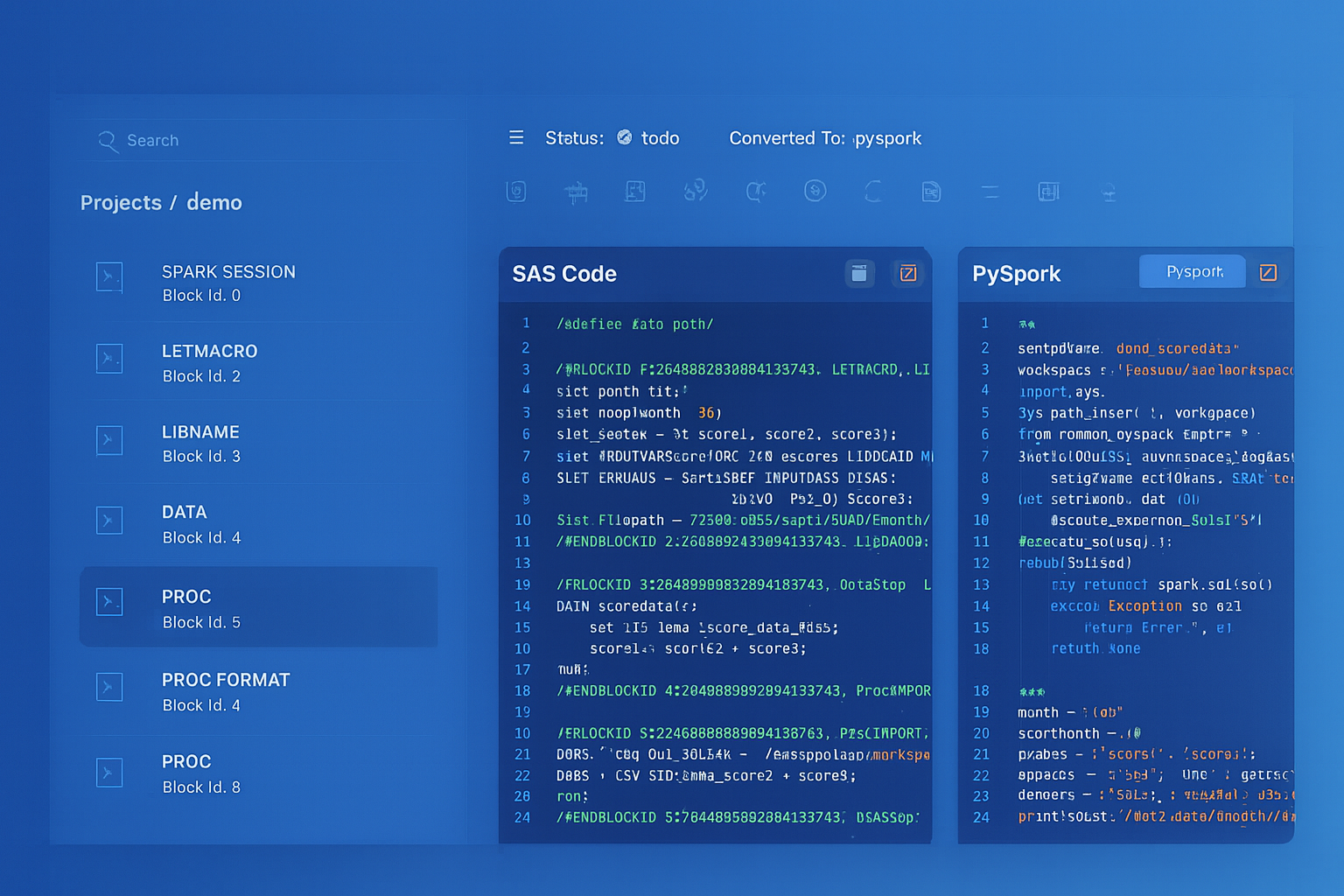
From parsed legacy code to production-ready modern equivalents — MigryX automates the entire conversion pipeline
From Legacy Complexity to Modern Clarity with MigryX
Legacy ETL platforms encode business logic in visual workflows, proprietary XML formats, and platform-specific constructs that are opaque to standard analysis tools. MigryX’s deep parsers crack open these proprietary formats and extract the underlying data transformations, business rules, and data flows. The result is complete transparency into what your legacy code actually does — often revealing undocumented logic that even the original developers had forgotten.
Alteryx Predictive Tools to BigQuery ML
Alteryx provides R-based predictive tools (Linear Regression, Logistic Regression, Decision Tree, Forest Model, etc.) through its Predictive palette. BigQuery ML allows you to create and run ML models directly in SQL, without exporting data or managing separate compute.
-- Alteryx: Linear Regression tool with target = revenue
-- Features: customer_tenure, monthly_visits, product_count

-- BigQuery ML equivalent
CREATE OR REPLACE MODEL `project.dataset.revenue_predictor`
OPTIONS (
    model_type = 'LINEAR_REG',
    input_label_cols = ['revenue'],
    l2_reg = 0.001,
    max_iterations = 50
) AS
SELECT
    customer_tenure,
    monthly_visits,
    product_count,
    revenue
FROM `project.dataset.training_data`
WHERE revenue IS NOT NULL;

-- Score new data
SELECT
    customer_id,
    predicted_revenue
FROM ML.PREDICT(
    MODEL `project.dataset.revenue_predictor`,
    (SELECT * FROM `project.dataset.new_customers`)
);
Comparison: Alteryx vs. BigQuery Operational Model
| Dimension | Alteryx | BigQuery |
|---|---|---|
| Pricing | Per-seat license ($5,195+ /user/year) | Pay-per-query ($6.25/TB) or flat-rate slots |
| Execution | Desktop engine or Alteryx Server (Windows) | Serverless, fully managed, auto-scaling |
| Data Scale | Limited by machine RAM/CPU (typically <50GB) | Petabyte-scale, no memory constraints |
| Concurrency | Limited by Server worker threads | Thousands of concurrent queries |
| Version Control | .yxmd XML files (poor Git diffs) | Dataform SQLX with native Git integration |
| Spatial Analytics | Spatial palette (Trade Area, Match, etc.) | BigQuery GIS (ST_ functions, global scale) |
| Scheduling | Alteryx Server Gallery | Scheduled Queries, Cloud Composer, Dataform |
| ML/Predictive | R-based predictive tools | BigQuery ML (SQL-native), Vertex AI |
| Collaboration | Gallery sharing (limited comments) | BigQuery Console, Colab notebooks, Looker |
| Infrastructure | Windows servers for Alteryx Server | Zero infrastructure management |
How MigryX Automates Alteryx to BigQuery Migration
- AST-Based Workflow Parsing — MigryX parses Alteryx .yxmd files (XML) into a complete abstract syntax tree, capturing every tool configuration, connection, formula expression, and macro reference. This is deterministic parsing with +95% accuracy, not regex-based scraping or AI-only interpretation of workflow screenshots.
- Column-Level Lineage — MigryX traces every column through the entire Alteryx workflow — from Input Data tools through Select, Formula, Join, Summarize, and Output tools — generating complete STTM (Source-to-Target Mapping) documentation automatically. This lineage persists through macro boundaries and nested workflows.
- Multi-Target Output — The same parsed Alteryx AST generates BigQuery SQL, Dataform SQLX, PySpark, pandas, or other targets. If you later decide to target Databricks instead of BigQuery, MigryX does not need to re-parse the .yxmd files.
- Merlin AI for Workflow Optimization — MigryX's Merlin AI identifies Alteryx tool patterns that can be simplified in SQL (e.g., chained Select + Filter + Formula tools that collapse into a single SELECT statement) and suggests BigQuery-native optimizations like partitioning and clustering.
- On-Premise / Air-Gapped Deployment — MigryX deploys entirely within your network perimeter. Alteryx workflows, data schemas, and business logic never leave your infrastructure, meeting banking, healthcare, and government compliance requirements.
The biggest misconception about Alteryx-to-BigQuery migration is that you need to replicate the visual canvas experience. You do not. The canvas is a UI for constructing SQL-equivalent logic. Once that logic is expressed as SQL or Dataform SQLX, it is more portable, more testable, more version-controllable, and dramatically more scalable than the original .yxmd workflow.
Migration Architecture: Alteryx to BigQuery
Migrating from Alteryx to BigQuery follows a structured process that accounts for workflow complexity, data source connectivity, scheduling patterns, and organizational change management. The key phases are:
- Workflow Inventory and Assessment — Catalog all .yxmd, .yxmc (macro), and .yxwz (app) files. MigryX's scanner classifies each workflow by complexity (number of tools, macro dependencies, spatial tools, predictive tools) and estimates conversion effort.
- Data Source Migration — Map Alteryx Input Data connections to BigQuery equivalents. File-based inputs become Cloud Storage external tables or loaded BigQuery tables. Database connections become federated queries or BigQuery Data Transfer Service loads.
- Workflow Conversion — Convert .yxmd workflows to BigQuery SQL scripts or Dataform SQLX files. MigryX automates this conversion, translating tool chains into CTE-based SQL while preserving formula logic, join conditions, and aggregation specifications.
- Macro and App Conversion — Convert Alteryx Standard Macros to Dataform JavaScript functions or BigQuery UDFs. Convert Batch Macros to BigQuery scripting loops or Dataform operations. Analytical Apps require redesign as parameterized Looker dashboards or BigQuery scripts.
- Validation and Testing — Run parallel execution comparing Alteryx workflow output to BigQuery query results. MigryX generates validation queries from the column-level lineage map, comparing row counts, checksums, and sample values.
- Schedule Migration — Replicate Alteryx Server Gallery schedules as BigQuery Scheduled Queries or Cloud Composer DAGs. Dataform provides built-in scheduling with dependency management for multi-step pipelines.
Handling Alteryx-Specific Patterns
Multi-Row Formula Tool
Alteryx's Multi-Row Formula tool accesses values from previous and next rows. BigQuery's LAG() and LEAD() window functions provide equivalent functionality with better performance on large datasets.
-- Alteryx Multi-Row Formula: running_total = Row-1:running_total + revenue
-- BigQuery: Window function with cumulative sum
SELECT
    *,
    SUM(revenue) OVER (
        PARTITION BY customer_id
        ORDER BY order_date
        ROWS BETWEEN UNBOUNDED PRECEDING AND CURRENT ROW
    ) AS running_total,
    LAG(revenue, 1) OVER (
        PARTITION BY customer_id ORDER BY order_date
    ) AS prev_revenue,
    revenue - LAG(revenue, 1) OVER (
        PARTITION BY customer_id ORDER BY order_date
    ) AS revenue_change
FROM `project.dataset.orders`;
Generate Rows and Append Fields Tools
-- Alteryx Generate Rows: Create a date spine
-- BigQuery: GENERATE_DATE_ARRAY
SELECT date_value
FROM UNNEST(
    GENERATE_DATE_ARRAY('2020-01-01', CURRENT_DATE(), INTERVAL 1 DAY)
) AS date_value;

-- Alteryx Append Fields: Cross join all combinations
-- BigQuery: CROSS JOIN
SELECT d.date_value, p.product_category
FROM UNNEST(GENERATE_DATE_ARRAY('2024-01-01', '2024-12-31')) AS date_value d
CROSS JOIN (SELECT DISTINCT product_category FROM `project.dataset.products`) p;
Migrating from Alteryx to BigQuery replaces a desktop-centric, per-seat-licensed analytics tool with a serverless, petabyte-scale SQL engine. Every Alteryx tool has a BigQuery SQL equivalent, and the migration eliminates the scalability ceiling that Alteryx imposes when datasets grow beyond what a single machine can handle. Dataform provides the workflow orchestration, dependency management, and version control that Alteryx Server Gallery provides, but with Git integration and SQL-native testing. BigQuery GIS functions match and exceed Alteryx's spatial capabilities at global scale. And BigQuery ML replaces Alteryx's R-based predictive tools with SQL-native model training and scoring.
The result is a simpler architecture, lower total cost of ownership, and a platform that scales from gigabytes to petabytes without any infrastructure changes. For organizations already invested in Google Cloud, eliminating the Alteryx dependency consolidates analytics onto a single platform with unified governance through Dataplex and visualization through Looker.
Why MigryX Is the Only Platform That Handles This Migration
The challenges described throughout this article are exactly what MigryX was built to solve. Here is how MigryX transforms this process:
- Deep AST parsing: MigryX’s custom-built parsers achieve 95% accuracy on every supported legacy technology — not through approximation, but through true semantic understanding.
- Merlin AI augmentation: Where deterministic parsing reaches its limit, Merlin AI resolves ambiguities and implicit behaviors, pushing accuracy to 99%.
- Complete coverage: MigryX supports 25+ source technologies including SAS, Informatica, DataStage, SSIS, Alteryx, Talend, ODI, Teradata, and Oracle PL/SQL.
- End-to-end automation: From parsing to conversion to validation — MigryX automates the entire pipeline, not just one step.
MigryX combines precision AST parsing with Merlin AI to deliver 99% accurate, production-ready migration — turning what used to be a multi-year manual effort into a streamlined, validated process. See it in action.
Ready to migrate from Alteryx to BigQuery?
See how MigryX converts Alteryx .yxmd workflows and macros to production-ready BigQuery SQL, Dataform pipelines, and Cloud Composer DAGs — with full column-level lineage.
Explore BigQuery Migration Schedule a Demo