Talend has been a widely adopted open-source and commercial ETL platform for over a decade, powering data integration pipelines at thousands of organizations. Talend Open Studio and Talend Data Fabric provide a graphical job designer that generates Java code for execution, with components like tMap, tJoin, tFilterRow, and tAggregateRow forming the backbone of most data pipelines. However, as organizations consolidate on Snowflake as their cloud data platform, the value of maintaining a separate ETL tool diminishes. Snowflake's native capabilities — Snowpark for programmatic transformations, SQL procedures for stored logic, Tasks for scheduling, and Streams for change data capture — can replace the entire Talend stack without sacrificing functionality.
This article provides a detailed, component-by-component mapping from Talend to Snowflake, covering the most commonly used Talend components, job design patterns, context variables, scheduling, and the architectural shift from Java-based execution to Snowflake-native compute. Whether you are running Talend Open Studio, Talend Data Integration, or Talend Data Fabric, the migration patterns described here apply across all editions.
Talend Architecture vs. Snowflake Architecture
Talend jobs are designed in a graphical studio and compiled into Java programs. At runtime, a Talend Job Server (or TAC — Talend Administration Center) executes these Java programs on dedicated infrastructure. Data flows from source to target through the Java process, with transformations applied in-memory by the Talend runtime. This architecture requires provisioned infrastructure for the Job Server, dependency management for Java libraries and JDBC drivers, and monitoring through TAC or external orchestration tools.
Snowflake inverts this model entirely. Instead of moving data to compute, compute comes to the data. Virtual warehouses provide elastic, auto-suspending compute clusters that execute SQL or Snowpark code directly against Snowflake's managed storage. There is no Job Server to maintain, no Java runtime to patch, no JDBC drivers to update. Transformations run natively on Snowflake's MPP engine, with automatic optimization, result caching, and horizontal scaling.
The fundamental difference is data locality. In a Talend architecture, data is extracted from sources, moved through the Java process for transformation, and then loaded into Snowflake. In a Snowflake-native architecture, data lands in Snowflake first (via Snowpipe, COPY INTO, or connectors), and all transformation happens inside Snowflake. This eliminates the network transfer overhead and the need for intermediate staging infrastructure.
| Talend Concept | Snowflake Equivalent | Notes |
|---|---|---|
| Talend Job | Snowpark Python script / SQL stored procedure | Transformation logic runs on Snowflake compute |
| tMap | SQL JOINs + SELECT expressions | Multi-input joins with computed columns |
| tJoin | SQL JOIN (INNER/LEFT/RIGHT/FULL) | Standard SQL join with configurable type |
| tFilterRow | WHERE clause / CASE WHEN | Row filtering and conditional routing |
| tAggregateRow | GROUP BY with aggregate functions | SUM, COUNT, AVG, MIN, MAX, LISTAGG |
| tSortRow | ORDER BY clause | Multi-column sorting with ASC/DESC |
| tUnite | UNION ALL | Combine multiple result sets |
| tNormalize / tDenormalize | FLATTEN / PIVOT / UNPIVOT | Semi-structured data handling |
| tFileInputDelimited | Stages + COPY INTO | Cloud storage ingestion |
| tDBInput / tDBOutput | Snowflake tables (direct SQL) | No JDBC driver overhead |
| Context Variables | Session variables / procedure parameters | SET variable = value; or procedure args |
| Talend Scheduler (TAC) | Snowflake Tasks | CRON-based scheduling with DAG support |
| Talend Metadata | Snowflake schemas and Information Schema | Centralized metadata management |
| Job Server / TAC | Virtual Warehouse | Elastic, auto-suspend, zero-admin compute |
| tLogRow / tWarn | SYSTEM$LOG / query history | Native logging and monitoring |

Talend to Snowflake migration — automated end-to-end by MigryX
Mapping Talend Components to Snowflake
tMap: The Core Transformation Component
The tMap component is the workhorse of Talend job design. It handles joins (multiple lookup inputs), column mapping, expression evaluation, filtering, and output routing — all in a single component. In Snowflake, tMap functionality is decomposed into standard SQL constructs: JOINs for combining inputs, SELECT expressions for column transformations, WHERE clauses for filtering, and CASE expressions for conditional routing.
A typical tMap receives a main input flow and one or more lookup flows, joins them on specified keys, applies expressions to derive new columns, and outputs to one or more target flows (including reject flows). Here is how a complex tMap with multiple lookups translates to Snowflake:
-- Talend tMap: Main input (orders) with 3 lookups
-- Lookup 1: customers (on customer_id, inner join)
-- Lookup 2: products (on product_id, left outer join)
-- Lookup 3: regions (on region_code, left outer join)
-- Expressions: total_price = quantity * unit_price
--              discount_amount = total_price * discount_pct / 100
--              final_price = total_price - discount_amount
-- Filter: order_status != 'CANCELLED'
-- Output 1: enriched_orders (main output)
-- Output 2: rejected_orders (reject from customer lookup)

-- Snowflake SQL equivalent: Main output
CREATE OR REPLACE TABLE silver.enriched_orders AS
SELECT
    o.order_id,
    o.order_date,
    o.order_status,
    c.customer_name,
    c.customer_email,
    c.customer_tier,
    p.product_name,
    p.product_category,
    r.region_name,
    r.country,
    o.quantity,
    o.unit_price,
    o.quantity * o.unit_price AS total_price,
    o.quantity * o.unit_price * COALESCE(o.discount_pct, 0) / 100 AS discount_amount,
    o.quantity * o.unit_price
      - (o.quantity * o.unit_price * COALESCE(o.discount_pct, 0) / 100) AS final_price
FROM bronze.orders o
INNER JOIN bronze.customers c
    ON o.customer_id = c.customer_id
LEFT JOIN bronze.products p
    ON o.product_id = p.product_id
LEFT JOIN ref.regions r
    ON o.region_code = r.region_code
WHERE o.order_status != 'CANCELLED';

-- Snowflake SQL equivalent: Reject output (orders with no matching customer)
CREATE OR REPLACE TABLE staging.rejected_orders AS
SELECT o.*
FROM bronze.orders o
LEFT JOIN bronze.customers c
    ON o.customer_id = c.customer_id
WHERE c.customer_id IS NULL;
# Snowpark Python equivalent for the same tMap logic
from snowflake.snowpark import Session, functions as F

orders = session.table("bronze.orders")
customers = session.table("bronze.customers")
products = session.table("bronze.products")
regions = session.table("ref.regions")

# Main output: enriched orders with all lookups
enriched = (
    orders
    .join(customers, orders["customer_id"] == customers["customer_id"], "inner")
    .join(products, orders["product_id"] == products["product_id"], "left")
    .join(regions, orders["region_code"] == regions["region_code"], "left")
    .filter(orders["order_status"] != "CANCELLED")
    .with_column("total_price", orders["quantity"] * orders["unit_price"])
    .with_column("discount_amount",
        orders["quantity"] * orders["unit_price"] *
        F.coalesce(orders["discount_pct"], F.lit(0)) / 100)
    .with_column("final_price",
        F.col("total_price") - F.col("discount_amount"))
    .select(
        orders["order_id"], orders["order_date"], orders["order_status"],
        customers["customer_name"], customers["customer_email"],
        customers["customer_tier"],
        products["product_name"], products["product_category"],
        regions["region_name"], regions["country"],
        orders["quantity"], orders["unit_price"],
        F.col("total_price"), F.col("discount_amount"), F.col("final_price")
    )
)

enriched.write.mode("overwrite").save_as_table("silver.enriched_orders")

# Reject output: orders with no matching customer
rejected = (
    orders
    .join(customers, orders["customer_id"] == customers["customer_id"], "left")
    .filter(customers["customer_id"].is_null())
    .select(orders["*"])
)

rejected.write.mode("overwrite").save_as_table("staging.rejected_orders")
In Talend, a single tMap component can handle joins, expressions, filtering, and output routing simultaneously. In Snowflake, these become separate SQL clauses (JOIN, SELECT expressions, WHERE, UNION/CASE) that are often more readable and maintainable. MigryX's AST-based parser decomposes tMap logic into the optimal Snowflake SQL or Snowpark representation automatically, preserving exact transformation semantics.
tJoin Component
The tJoin component is a simpler alternative to tMap for two-input joins. It supports inner, left outer, right outer, and full outer joins with one or more key columns. In Snowflake, this maps directly to SQL JOIN syntax.
-- Talend tJoin: Inner join orders with shipments on order_id
-- Main: orders
-- Lookup: shipments
-- Join type: Inner Join
-- Key: order_id = order_id

-- Snowflake SQL
SELECT
    o.order_id,
    o.order_date,
    o.customer_id,
    s.shipment_id,
    s.carrier,
    s.tracking_number,
    s.shipped_date,
    s.delivered_date
FROM bronze.orders o
INNER JOIN bronze.shipments s
    ON o.order_id = s.order_id;
tFilterRow: Row Filtering and Conditional Routing
Talend's tFilterRow applies conditions to route rows to accept or reject outputs. In Snowflake, this becomes WHERE clauses for simple filtering or CASE expressions for conditional routing across multiple targets.
-- Talend tFilterRow: Filter orders by amount threshold
-- Condition: order_total > 1000 AND order_status = 'CONFIRMED'
-- Accept: high_value_orders
-- Reject: standard_orders

-- Snowflake SQL: Accept path
CREATE OR REPLACE TABLE silver.high_value_orders AS
SELECT *
FROM bronze.orders
WHERE order_total > 1000
  AND order_status = 'CONFIRMED';

-- Snowflake SQL: Reject path
CREATE OR REPLACE TABLE silver.standard_orders AS
SELECT *
FROM bronze.orders
WHERE NOT (order_total > 1000 AND order_status = 'CONFIRMED');
tAggregateRow: Aggregation and Grouping
Talend's tAggregateRow performs GROUP BY operations with aggregate functions. The component supports SUM, COUNT, AVG, MIN, MAX, FIRST, LAST, LIST, COUNT DISTINCT, and standard deviation. In Snowflake, these map to native SQL aggregate functions with GROUP BY, and Snowflake adds powerful extensions like GROUPING SETS, CUBE, ROLLUP, and QUALIFY.
-- Talend tAggregateRow configuration:
-- Group By: region, product_category
-- Operations:
--   total_revenue = SUM(final_price)
--   order_count = COUNT(order_id)
--   avg_order_value = AVG(final_price)
--   unique_customers = COUNT DISTINCT(customer_id)
--   max_single_order = MAX(final_price)
-- Filter (HAVING): total_revenue > 50000

-- Snowflake SQL equivalent
CREATE OR REPLACE TABLE gold.regional_product_summary AS
SELECT
    region,
    product_category,
    SUM(final_price) AS total_revenue,
    COUNT(order_id) AS order_count,
    AVG(final_price) AS avg_order_value,
    COUNT(DISTINCT customer_id) AS unique_customers,
    MAX(final_price) AS max_single_order,
    MEDIAN(final_price) AS median_order_value,
    STDDEV(final_price) AS revenue_stddev
FROM silver.enriched_orders
GROUP BY region, product_category
HAVING SUM(final_price) > 50000
ORDER BY total_revenue DESC;
# Snowpark Python equivalent
from snowflake.snowpark import functions as F

enriched = session.table("silver.enriched_orders")

summary = (
    enriched
    .group_by("region", "product_category")
    .agg(
        F.sum("final_price").alias("total_revenue"),
        F.count("order_id").alias("order_count"),
        F.avg("final_price").alias("avg_order_value"),
        F.count_distinct("customer_id").alias("unique_customers"),
        F.max("final_price").alias("max_single_order"),
        F.median("final_price").alias("median_order_value"),
        F.stddev("final_price").alias("revenue_stddev")
    )
    .filter(F.col("total_revenue") > 50000)
    .sort(F.col("total_revenue").desc())
)

summary.write.mode("overwrite").save_as_table("gold.regional_product_summary")
tSortRow and tUnite
Talend's tSortRow applies multi-column sorting, and tUnite combines multiple flows. These map directly to ORDER BY and UNION ALL in Snowflake.
-- Talend tSortRow: Sort by region ASC, total_revenue DESC
-- Snowflake: ORDER BY clause
SELECT * FROM gold.regional_product_summary
ORDER BY region ASC, total_revenue DESC;

-- Talend tUnite: Combine domestic and international orders
-- Snowflake: UNION ALL
CREATE OR REPLACE TABLE silver.all_orders AS
SELECT order_id, order_date, customer_id, amount, 'DOMESTIC' AS source
FROM bronze.domestic_orders
UNION ALL
SELECT order_id, order_date, customer_id, amount, 'INTERNATIONAL' AS source
FROM bronze.international_orders;
tNormalize and tDenormalize: Semi-Structured Data
Talend's tNormalize splits delimited fields into multiple rows, while tDenormalize aggregates rows into delimited strings. Snowflake handles these patterns with FLATTEN (for normalization), LATERAL FLATTEN for nested structures, and LISTAGG or ARRAY_AGG (for denormalization). Snowflake's native VARIANT type and semi-structured functions provide far more power than Talend's delimiter-based approach.
-- Talend tNormalize: Split comma-separated tags into rows
-- Input: order_id=1, tags="electronics,sale,premium"
-- Output: 3 rows, one per tag

-- Snowflake equivalent using FLATTEN + SPLIT
SELECT
    o.order_id,
    o.order_date,
    TRIM(t.value::STRING) AS tag
FROM bronze.orders o,
    LATERAL FLATTEN(input => SPLIT(o.tags, ',')) t;

-- Talend tDenormalize: Combine product names into comma-separated list
-- Group by: customer_id
-- Denormalize: product_name with ',' separator

-- Snowflake equivalent using LISTAGG
SELECT
    customer_id,
    LISTAGG(DISTINCT product_name, ', ')
      WITHIN GROUP (ORDER BY product_name) AS products_purchased,
    COUNT(DISTINCT product_name) AS distinct_products
FROM silver.enriched_orders
GROUP BY customer_id;
MigryX: Purpose-Built Parsers for Every Legacy Technology
MigryX does not rely on generic text matching or regex-based parsing. For every supported legacy technology, MigryX has built a dedicated Abstract Syntax Tree (AST) parser that understands the full grammar and semantics of that platform. This means MigryX captures not just what the code does, but why — understanding implicit behaviors, default settings, and platform-specific quirks that generic tools miss entirely.
tFileInputDelimited to Snowflake Stages and COPY INTO
Talend's tFileInputDelimited reads CSV and delimited files from local or remote file systems. In Snowflake, file ingestion uses Stages (internal or external) combined with COPY INTO for batch loading or Snowpipe for continuous ingestion. This eliminates the need for Talend to act as an intermediary file reader.
-- Talend tFileInputDelimited: Read CSV from S3 bucket
-- File: s3://data-lake/raw/transactions/daily_*.csv
-- Delimiter: comma, Header: yes, Encoding: UTF-8

-- Snowflake equivalent: Create stage and load
CREATE OR REPLACE STAGE raw_data_stage
  URL = 's3://data-lake/raw/transactions/'
  STORAGE_INTEGRATION = s3_integration
  FILE_FORMAT = (
    TYPE = 'CSV'
    FIELD_DELIMITER = ','
    SKIP_HEADER = 1
    FIELD_OPTIONALLY_ENCLOSED_BY = '"'
    NULL_IF = ('NULL', 'null', '')
    ERROR_ON_COLUMN_COUNT_MISMATCH = FALSE
  );

-- Batch load
COPY INTO bronze.daily_transactions
FROM @raw_data_stage
  PATTERN = 'daily_.*[.]csv'
  ON_ERROR = 'CONTINUE';

-- Or continuous ingestion with Snowpipe
CREATE OR REPLACE PIPE bronze.transactions_pipe
  AUTO_INGEST = TRUE
AS
  COPY INTO bronze.daily_transactions
  FROM @raw_data_stage
  PATTERN = 'daily_.*[.]csv';
tDBInput and tDBOutput: Database Connectivity
Talend uses tDBInput and tDBOutput (with database-specific variants like tOracleInput, tMySQLInput, tPostgresqlInput) to read from and write to relational databases. Each requires a JDBC driver, connection pool configuration, and schema mapping. In Snowflake-native pipelines, source data is first loaded into Snowflake (via stages, connectors, or Snowpipe), and then all transformations use Snowflake tables directly — no JDBC drivers, no connection management, no driver version conflicts.
-- Talend tDBInput: SELECT * FROM source_db.customers WHERE active = 1
-- Talend tDBOutput: INSERT INTO snowflake.silver.customers

-- Snowflake-native: Data already in Snowflake, just transform
CREATE OR REPLACE TABLE silver.active_customers AS
SELECT
    customer_id,
    customer_name,
    email,
    phone,
    created_at,
    CURRENT_TIMESTAMP() AS loaded_at
FROM bronze.customers
WHERE active = 1;
Context Variables to Session Variables and Procedure Parameters
Talend context variables parameterize jobs for different environments (dev, staging, production), control file paths, set thresholds, and pass runtime parameters between parent and child jobs. In Snowflake, this functionality is handled by session variables (SET/GETVARIABLE), stored procedure parameters, and environment-specific schemas or databases.
-- Talend context variables:
-- context.source_database = "prod_source"
-- context.target_schema = "silver"
-- context.batch_date = "2026-04-08"
-- context.threshold = 1000

-- Snowflake session variables
SET source_database = 'prod_source';
SET target_schema = 'silver';
SET batch_date = '2026-04-08';
SET threshold = 1000;

-- Use in SQL with IDENTIFIER() for object names
-- and $variable for values
CREATE OR REPLACE TABLE IDENTIFIER($target_schema || '.daily_summary') AS
SELECT
    $batch_date::DATE AS batch_date,
    region,
    SUM(amount) AS total_amount,
    COUNT(*) AS record_count
FROM IDENTIFIER($source_database || '.bronze.transactions')
WHERE transaction_date = $batch_date::DATE
  AND amount >= $threshold
GROUP BY region;

-- Or use stored procedure parameters for encapsulated logic
CREATE OR REPLACE PROCEDURE etl.process_daily_batch(
    p_batch_date DATE,
    p_threshold NUMBER
)
RETURNS STRING
LANGUAGE SQL
AS
$$
BEGIN
    CREATE OR REPLACE TABLE silver.daily_summary AS
    SELECT
        :p_batch_date AS batch_date,
        region,
        SUM(amount) AS total_amount,
        COUNT(*) AS record_count
    FROM bronze.transactions
    WHERE transaction_date = :p_batch_date
      AND amount >= :p_threshold
    GROUP BY region;

    RETURN 'Processed batch for ' || :p_batch_date::STRING;
END;
$$;
Talend Scheduling (TAC) to Snowflake Tasks
Talend Administration Center (TAC) provides job scheduling, triggering, and dependency management. Jobs can be scheduled on CRON expressions, triggered by file events, or chained as parent-child jobs. Snowflake Tasks provide equivalent functionality with CRON scheduling, predecessor-based DAG execution, and Stream-based triggers for event-driven processing.
-- Talend TAC schedule: Run daily ETL at 6 AM, then summary, then quality check
-- Parent job: daily_extract (triggered by schedule)
-- Child job 1: daily_transform (triggered after extract)
-- Child job 2: daily_quality_check (triggered after transform)

-- Snowflake Task DAG equivalent
-- Root task: scheduled trigger
CREATE OR REPLACE TASK etl.daily_extract
  WAREHOUSE = etl_wh
  SCHEDULE = 'USING CRON 0 6 * * * America/New_York'
AS
  CALL etl.extract_daily_data(CURRENT_DATE());

-- Child task 1: runs after extract completes
CREATE OR REPLACE TASK etl.daily_transform
  WAREHOUSE = etl_wh
  AFTER etl.daily_extract
AS
  CALL etl.transform_daily_data(CURRENT_DATE());

-- Child task 2: runs after transform completes
CREATE OR REPLACE TASK etl.daily_quality_check
  WAREHOUSE = etl_wh
  AFTER etl.daily_transform
AS
  CALL quality.validate_daily_batch(CURRENT_DATE());

-- Enable task tree (bottom-up)
ALTER TASK etl.daily_quality_check RESUME;
ALTER TASK etl.daily_transform RESUME;
ALTER TASK etl.daily_extract RESUME;
Stream-Based Triggering (Replacing Talend File Watchers)
Talend jobs can be triggered by file arrival events. Snowflake Streams provide change data capture on tables, enabling event-driven processing without external triggers.
-- Create a Stream on the landing table
CREATE OR REPLACE STREAM bronze.orders_stream
  ON TABLE bronze.raw_orders;

-- Task triggers only when new data arrives
CREATE OR REPLACE TASK silver.process_new_orders
  WAREHOUSE = etl_wh
  SCHEDULE = 'USING CRON */5 * * * * UTC'
  WHEN SYSTEM$STREAM_HAS_DATA('bronze.orders_stream')
AS
  MERGE INTO silver.orders t
  USING bronze.orders_stream s
  ON t.order_id = s.order_id
  WHEN MATCHED AND s.METADATA$ACTION = 'INSERT' THEN
    UPDATE SET t.order_status = s.order_status,
              t.updated_at = CURRENT_TIMESTAMP()
  WHEN NOT MATCHED AND s.METADATA$ACTION = 'INSERT' THEN
    INSERT (order_id, customer_id, order_date, order_status, amount, updated_at)
    VALUES (s.order_id, s.customer_id, s.order_date, s.order_status,
            s.amount, CURRENT_TIMESTAMP());
Dynamic Tables: Eliminating ETL Jobs Entirely
For many Talend jobs that simply read from source tables, apply transformations, and write to target tables on a schedule, Snowflake Dynamic Tables eliminate the need for any procedural code or scheduling. You declare the target as a SQL query, and Snowflake keeps it automatically refreshed.
-- This single Dynamic Table replaces:
-- 1. Talend job with tDBInput, tMap (3 lookups), tAggregateRow, tDBOutput
-- 2. TAC schedule running every hour

CREATE OR REPLACE DYNAMIC TABLE gold.customer_360
  TARGET_LAG = '1 hour'
  WAREHOUSE = analytics_wh
AS
  SELECT
      c.customer_id,
      c.customer_name,
      c.customer_tier,
      c.signup_date,
      COUNT(DISTINCT o.order_id) AS total_orders,
      SUM(o.final_price) AS lifetime_revenue,
      AVG(o.final_price) AS avg_order_value,
      MAX(o.order_date) AS last_order_date,
      DATEDIFF('day', MAX(o.order_date), CURRENT_DATE()) AS days_since_last_order,
      LISTAGG(DISTINCT p.product_category, ', ')
          WITHIN GROUP (ORDER BY p.product_category) AS categories_purchased
  FROM silver.customers c
  LEFT JOIN silver.enriched_orders o ON c.customer_id = o.customer_id
  LEFT JOIN silver.products p ON o.product_id = p.product_id
  GROUP BY c.customer_id, c.customer_name, c.customer_tier, c.signup_date;
Dynamic Tables represent the largest simplification opportunity when migrating from Talend. Any Talend job that follows the pattern of "read source tables, transform, write to target table, schedule to run periodically" can be replaced by a single Dynamic Table definition. MigryX identifies these patterns automatically during analysis and recommends Dynamic Tables where appropriate.
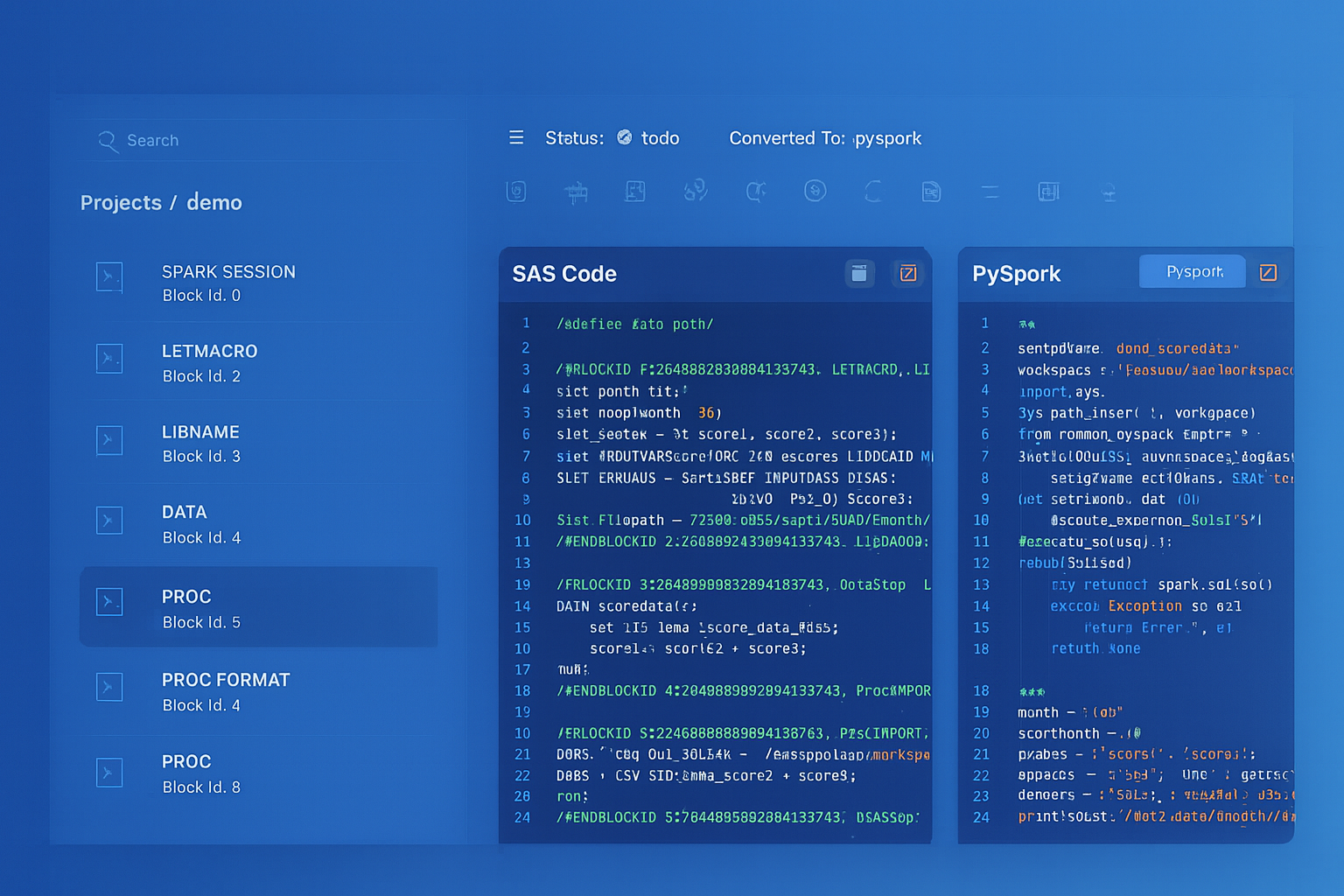
From parsed legacy code to production-ready modern equivalents — MigryX automates the entire conversion pipeline
From Legacy Complexity to Modern Clarity with MigryX
Legacy ETL platforms encode business logic in visual workflows, proprietary XML formats, and platform-specific constructs that are opaque to standard analysis tools. MigryX’s deep parsers crack open these proprietary formats and extract the underlying data transformations, business rules, and data flows. The result is complete transparency into what your legacy code actually does — often revealing undocumented logic that even the original developers had forgotten.
Talend Metadata to Snowflake Schemas
Talend stores schema metadata in its repository (shared via SVN or Git), defining column names, data types, and nullability for each connection. In Snowflake, metadata is managed natively through the Information Schema and Account Usage views. Schema evolution is handled through ALTER TABLE, and Snowflake supports schema-on-read for semi-structured data through VARIANT columns.
| Talend Metadata Concept | Snowflake Equivalent | Advantage |
|---|---|---|
| Repository schema | Information Schema / DESCRIBE | Always current, no synchronization needed |
| Built-in data types | Snowflake native types | VARIANT for semi-structured, GEOGRAPHY for spatial |
| Generic schema | VARIANT column | Schema-on-read without predefined structure |
| Change schema | ALTER TABLE / schema evolution | Online DDL, no downtime |
| Metadata export | SHOW / DESCRIBE / Information Schema | Queryable metadata via SQL |
Migration Complexity by Talend Component
Not all Talend components have the same migration complexity. The following table categorizes components by their Snowflake migration path and effort level.
| Talend Component | Snowflake Target | Complexity | Notes |
|---|---|---|---|
| tMap (basic) | SQL JOINs + SELECT | Low | Direct SQL translation |
| tMap (complex expressions) | SQL CASE / Snowpark UDF | Medium | May need UDFs for Java expressions |
| tJoin | SQL JOIN | Low | 1:1 mapping |
| tFilterRow | WHERE / CASE | Low | Direct translation |
| tAggregateRow | GROUP BY | Low | All aggregate functions supported |
| tSortRow | ORDER BY | Low | Direct translation |
| tUnite | UNION ALL | Low | Direct translation |
| tNormalize | FLATTEN + SPLIT | Low | More powerful in Snowflake |
| tFileInputDelimited | Stages + COPY INTO | Medium | Requires stage setup |
| tDBInput/tDBOutput | Snowflake tables | Low | Data must land in Snowflake first |
| tJavaRow (custom Java) | Snowpark Python UDF / JavaScript UDF | High | Requires logic rewrite |
| tRESTClient | External function / Snowpark | High | API calls require external functions |
| tSendMail | Notification integration | Medium | Snowflake notification integrations |
| Context variables | Session variables / procedure args | Low | Straightforward mapping |
| TAC scheduling | Snowflake Tasks | Medium | DAG setup required |
How MigryX Automates Talend to Snowflake Migration
MigryX uses AST-based deterministic parsing to analyze Talend job XML definitions and extract the complete transformation graph: components, links, expressions, context variables, and job dependencies. Unlike regex-based or AI-only conversion tools, MigryX's parser achieves +95% accuracy by understanding the structural semantics of Talend job definitions, not just pattern matching against text.
MigryX Talend Migration Capabilities
- AST-based parsing — Deterministic extraction of tMap expressions, join conditions, filter logic, and aggregation definitions from Talend job XML. No regex guessing, no AI hallucination.
- Column-level lineage — Trace every output column back through tMap expressions, lookups, and source tables. Understand exactly how data flows from source to target.
- Multi-target output — Generate Snowflake SQL, Snowpark Python, or both. Dynamic Tables recommended where applicable. Stored procedures generated for complex logic.
- STTM documentation — Source-to-Target Mapping documents generated automatically, providing auditable documentation of every transformation rule.
- Context variable mapping — Talend context variables automatically mapped to Snowflake session variables or procedure parameters, preserving environment-specific configuration.
- Job dependency analysis — Parent-child job relationships analyzed and converted to Snowflake Task DAGs with correct predecessor ordering.
- Merlin AI assistance — For complex tJavaRow components and custom Java code, Merlin AI suggests Snowpark Python or JavaScript UDF equivalents, validated against the parsed AST.
- On-premise / air-gapped deployment — Full platform runs behind your firewall. Source code and job definitions never leave your infrastructure.
End-to-End Migration Example: Order Processing Pipeline
Consider a typical Talend ETL pipeline for order processing that includes file ingestion, multi-table joins, aggregation, and scheduled execution. Here is the complete before-and-after comparison.
Talend Architecture (Before)
- Job 1 (extract): tFileInputDelimited reads CSVs from SFTP, tDBOutput writes to staging tables
- Job 2 (transform): tDBInput reads staging, tMap joins with customers and products, tFilterRow splits valid/invalid, tAggregateRow summarizes, tDBOutput writes to target
- Job 3 (quality): tDBInput reads targets, tJavaRow runs custom validation, tLogRow reports results, tSendMail alerts on failures
- TAC schedule: Job 1 at 5 AM, Job 2 after Job 1, Job 3 after Job 2
Snowflake Architecture (After)
-- Step 1: Continuous ingestion (replaces Job 1)
CREATE OR REPLACE PIPE bronze.orders_pipe AUTO_INGEST = TRUE AS
  COPY INTO bronze.raw_orders
  FROM @raw_data_stage/orders/
  FILE_FORMAT = (TYPE = 'CSV' SKIP_HEADER = 1);

-- Step 2: Dynamic Table for transformation (replaces Job 2)
CREATE OR REPLACE DYNAMIC TABLE silver.enriched_orders
  TARGET_LAG = '30 minutes'
  WAREHOUSE = etl_wh
AS
  SELECT
      o.order_id, o.order_date, o.amount,
      c.customer_name, c.customer_tier,
      p.product_name, p.product_category,
      o.amount * COALESCE(p.margin_pct, 0) / 100 AS estimated_margin
  FROM bronze.raw_orders o
  INNER JOIN silver.customers c ON o.customer_id = c.customer_id
  LEFT JOIN silver.products p ON o.product_id = p.product_id
  WHERE o.order_status != 'CANCELLED';

-- Step 3: Dynamic Table for aggregation (also replaces part of Job 2)
CREATE OR REPLACE DYNAMIC TABLE gold.order_summary
  TARGET_LAG = '1 hour'
  WAREHOUSE = analytics_wh
AS
  SELECT
      product_category,
      customer_tier,
      DATE_TRUNC('month', order_date) AS order_month,
      COUNT(*) AS order_count,
      SUM(amount) AS total_revenue,
      AVG(estimated_margin) AS avg_margin
  FROM silver.enriched_orders
  GROUP BY product_category, customer_tier, order_month;

-- Step 4: Quality check task (replaces Job 3)
CREATE OR REPLACE TASK quality.validate_orders
  WAREHOUSE = etl_wh
  SCHEDULE = 'USING CRON 0 7 * * * America/New_York'
AS
  CALL quality.run_validations('gold.order_summary');
The Snowflake-native architecture reduces three Talend jobs, a TAC schedule, a Job Server, JDBC drivers, and SFTP connectivity to: one Snowpipe, two Dynamic Tables, and one Task. Maintenance drops from managing Java runtimes, driver versions, and agent infrastructure to monitoring Snowflake Task history in Snowsight.
Key Takeaways
- Every major Talend component (tMap, tJoin, tFilterRow, tAggregateRow, tSortRow, tUnite, tNormalize) has a direct Snowflake SQL or Snowpark equivalent.
- Talend context variables map to Snowflake session variables or stored procedure parameters, preserving environment-specific configuration.
- TAC scheduling and job dependencies convert to Snowflake Task DAGs with CRON scheduling and Stream-based triggers for event-driven processing.
- File ingestion (tFileInputDelimited) is replaced by Snowflake Stages, COPY INTO, and Snowpipe — eliminating the Talend middleware for data loading.
- Dynamic Tables can replace entire Talend jobs that follow the extract-transform-load pattern, eliminating procedural code and scheduling entirely.
- tJavaRow and custom Java code require rewriting to Snowpark Python, JavaScript UDFs, or external functions — this is the highest-complexity migration path.
- MigryX automates Talend-to-Snowflake conversion using AST-based parsing of Talend job XML, generating Snowflake SQL, Snowpark Python, Task DAGs, and STTM documentation with +95% parser accuracy.
Migrating from Talend to Snowflake is not just a tool replacement — it is an architectural simplification. By moving transformation logic into Snowflake, organizations eliminate the middleware layer, reduce infrastructure management, and consolidate their data platform. The result is fewer moving parts, lower operational cost, better performance through data locality, and a single platform for storage, compute, transformation, and governance. For organizations already running Snowflake as their data warehouse, removing the Talend dependency is a high-impact modernization step.
Why MigryX Is the Only Platform That Handles This Migration
The challenges described throughout this article are exactly what MigryX was built to solve. Here is how MigryX transforms this process:
- Deep AST parsing: MigryX’s custom-built parsers achieve 95% accuracy on every supported legacy technology — not through approximation, but through true semantic understanding.
- Merlin AI augmentation: Where deterministic parsing reaches its limit, Merlin AI resolves ambiguities and implicit behaviors, pushing accuracy to 99%.
- Complete coverage: MigryX supports 25+ source technologies including SAS, Informatica, DataStage, SSIS, Alteryx, Talend, ODI, Teradata, and Oracle PL/SQL.
- End-to-end automation: From parsing to conversion to validation — MigryX automates the entire pipeline, not just one step.
MigryX combines precision AST parsing with Merlin AI to deliver 99% accurate, production-ready migration — turning what used to be a multi-year manual effort into a streamlined, validated process. See it in action.
Ready to migrate from Talend to Snowflake?
See how MigryX converts Talend jobs to production-ready Snowflake SQL, Snowpark pipelines, and Task DAGs with automated STTM documentation.
Explore Snowflake Migration Schedule a Demo